
What Is a Simple RFQ?
A Simple RFQ is an alternative to the standard RFQ process in Axya.
The key difference is that Axya does not generate a bid sheet automatically. Instead, you can:
-
Provide your own bid sheet
-
Allow suppliers to respond with their own PDF quotation
-
Send general requirements or scope documents without a structured bid sheet
This flexibility is useful when:
-
You already have a custom quotation template
-
The quote structure varies depending on the supplier
-
You want a simplified quoting process
Step-by-Step: Creating a Simple RFQ
1. Go to the Requests Tab
Navigate to the Requests section and select:
Simple RFQ
2. Enter RFQ Details
Fill in the basic information:
-
Project Name
-
Description
-
Deadline
The deadline defines the last date suppliers can submit quotes.
Important behavior:
-
Quotes submitted before midnight on the deadline date update automatically.
-
Quotes submitted after the deadline require manual acceptance.
3. Add Categorization (Optional)
Categorization allows internal tracking of RFQs for reporting and KPIs.
Examples:
-
Machining
-
Sheet metal
-
Raw materials
This field is optional.
4. Enable Total Price and Lead Time (Optional)
You can enable an option requiring suppliers to provide:
-
Total Price
-
Total Lead Time
This provides quick comparison metrics when detailed part breakdowns are unavailable.
These values also help generate procurement KPIs.
Upload Required Files
In the Files section, upload any documents relevant to the RFQ.
Supported file types include:
-
PDF
-
ZIP
-
DXF
-
STEP
-
Excel
-
Other technical formats
There is no file size limit, though larger files may take longer to upload.
Common files to include
Technical Files
-
Drawings
-
CAD files
-
Specifications
Cover Letter (Optional)
Instructions or additional information for suppliers.
Custom Bid Sheet
An Excel file where suppliers must fill in requested fields.
Contract or NDA (Optional)
Legal documents for supplier acknowledgment.
Using File Templates
Axya allows you to create document templates for frequently used files such as:
-
NDA agreements
-
Standard bid sheets
-
Contract templates
How it works:
-
Upload the file once
-
Save it as a template
-
Select it quickly in future RFQs
Templates help standardize procurement workflows and save time when creating new RFQs.
Selecting Suppliers
Go to the Supplier Selection section.
You can:
-
Search suppliers by name
-
Select suppliers by category
Example:
-
Steel pipe suppliers
Supplier contacts displayed here come from the Supplier profile page.
You can edit them either:
-
Directly in the RFQ
-
Or permanently in the Supplier directory
Sending the RFQ
Once everything is configured:
-
Review files and supplier list
-
Click Send RFQ
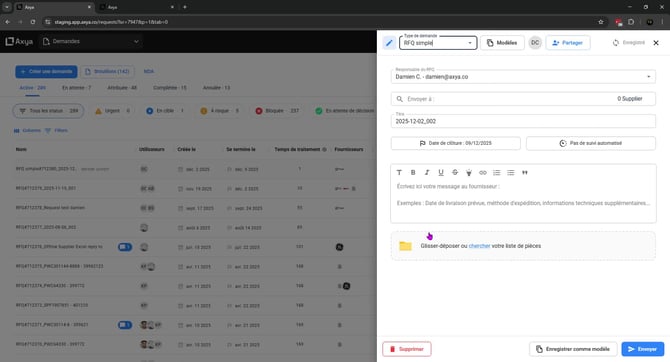
Each supplier receives an individual email containing:
-
RFQ name
-
Submission deadline
-
Download links for all attached files
-
Your email signature
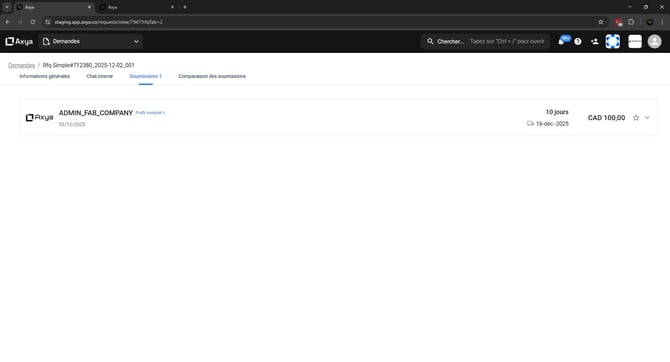
Suppliers download files via secure links included in the email.
If you have any additional question please contact us at customerservice@axya.co